KOL discovery
Find potential key opinion leaders for an indication, then check the publications and trial roles that support each choice.
These screenshots follow an example search for Thyroid Eye Disease.
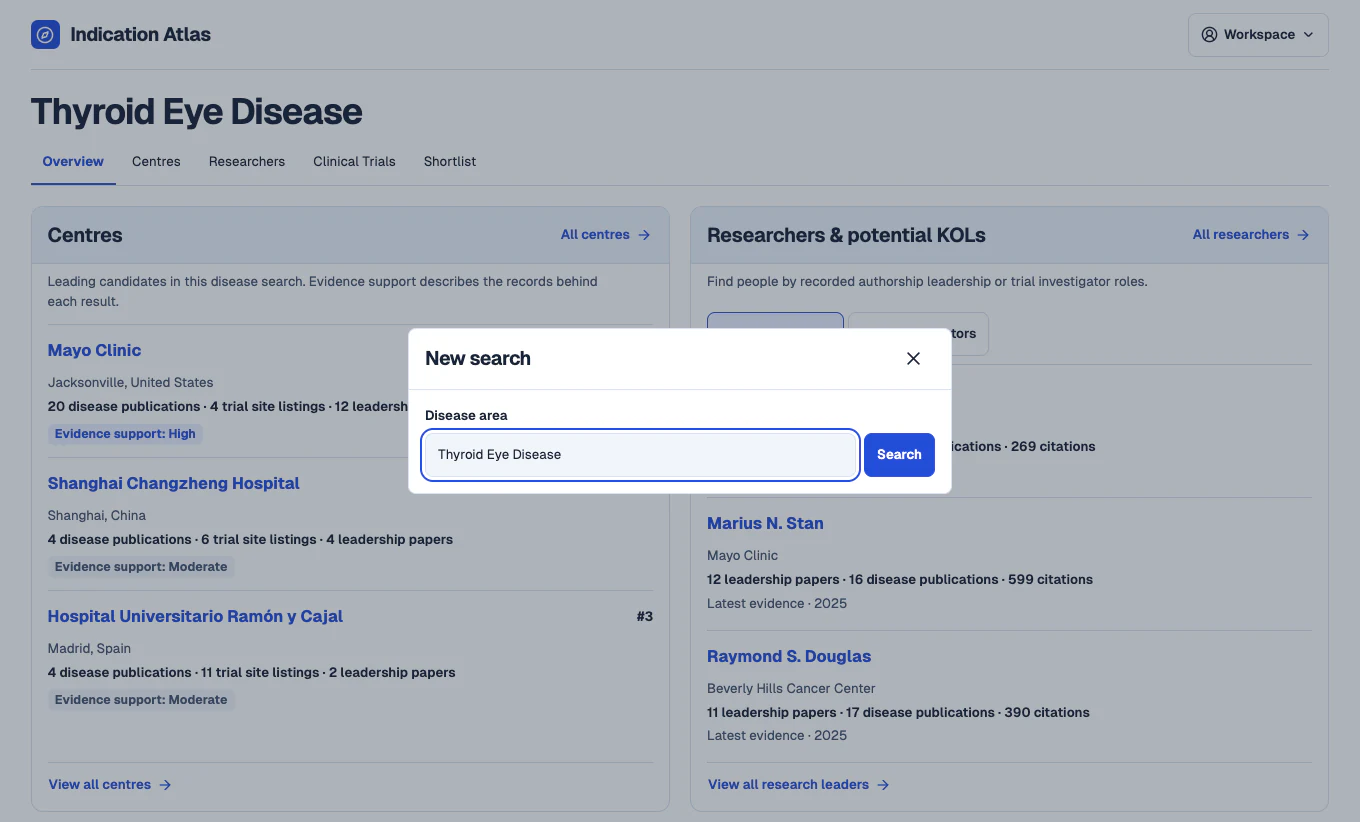
Search for a disease
In the workspace, open New search and enter a disease such as Thyroid Eye Disease. The overview brings together leading centre candidates and potential key opinion leaders from the same search.
 View full-size screenshot
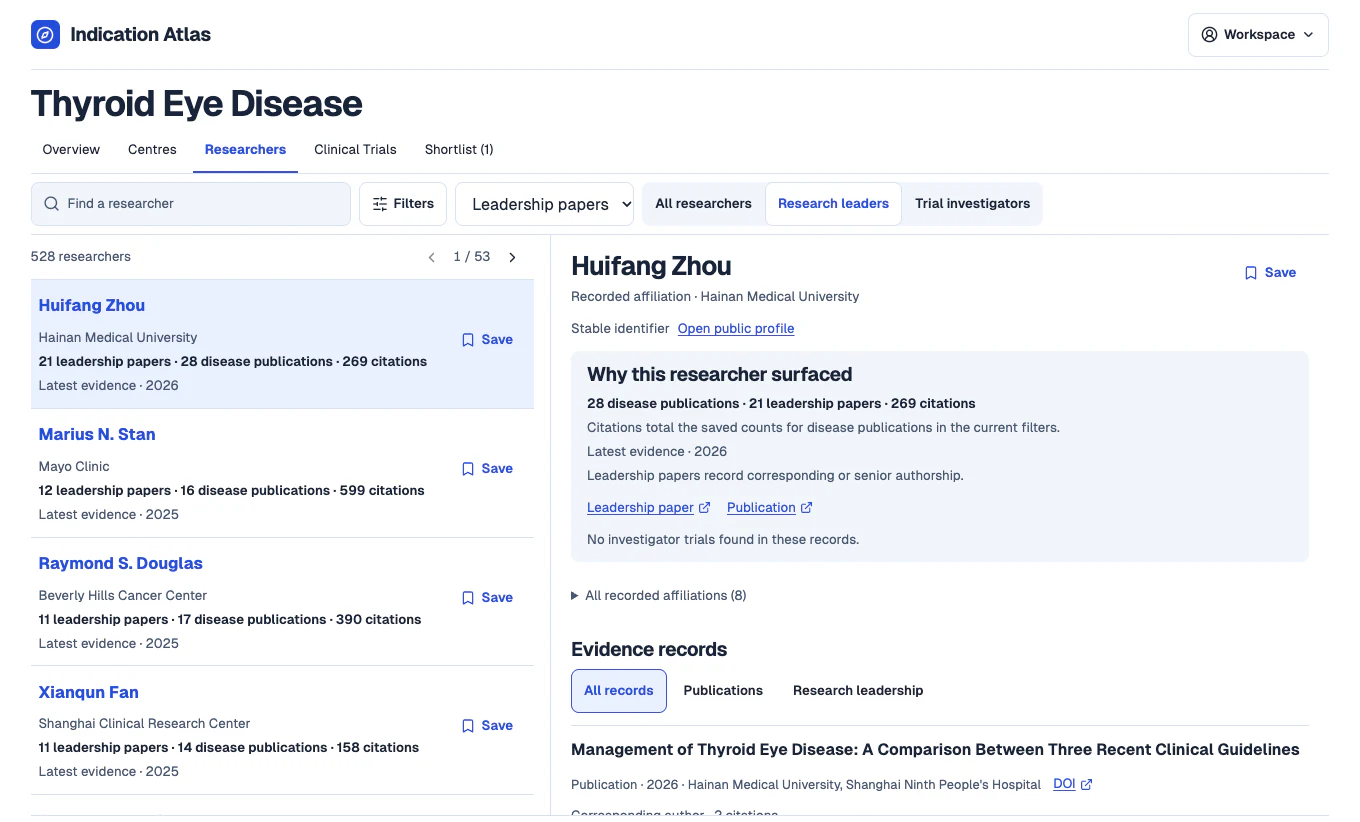
Find research leaders and trial investigators
Open Researchers and select Research leaders to review publication leadership, or Trial investigators to focus on named trial roles. Use the filters to narrow the list before opening a profile.
 View full-size screenshot
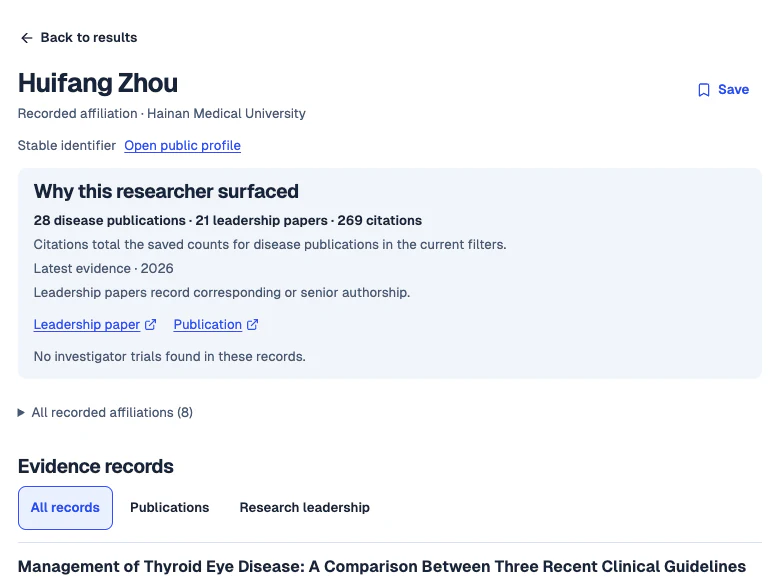
Check why an expert surfaced
Check recorded affiliations and follow the source links behind the profile. Senior or corresponding authorship and named investigator roles give you different reasons to include someone in a shortlist.
 View full-size screenshot
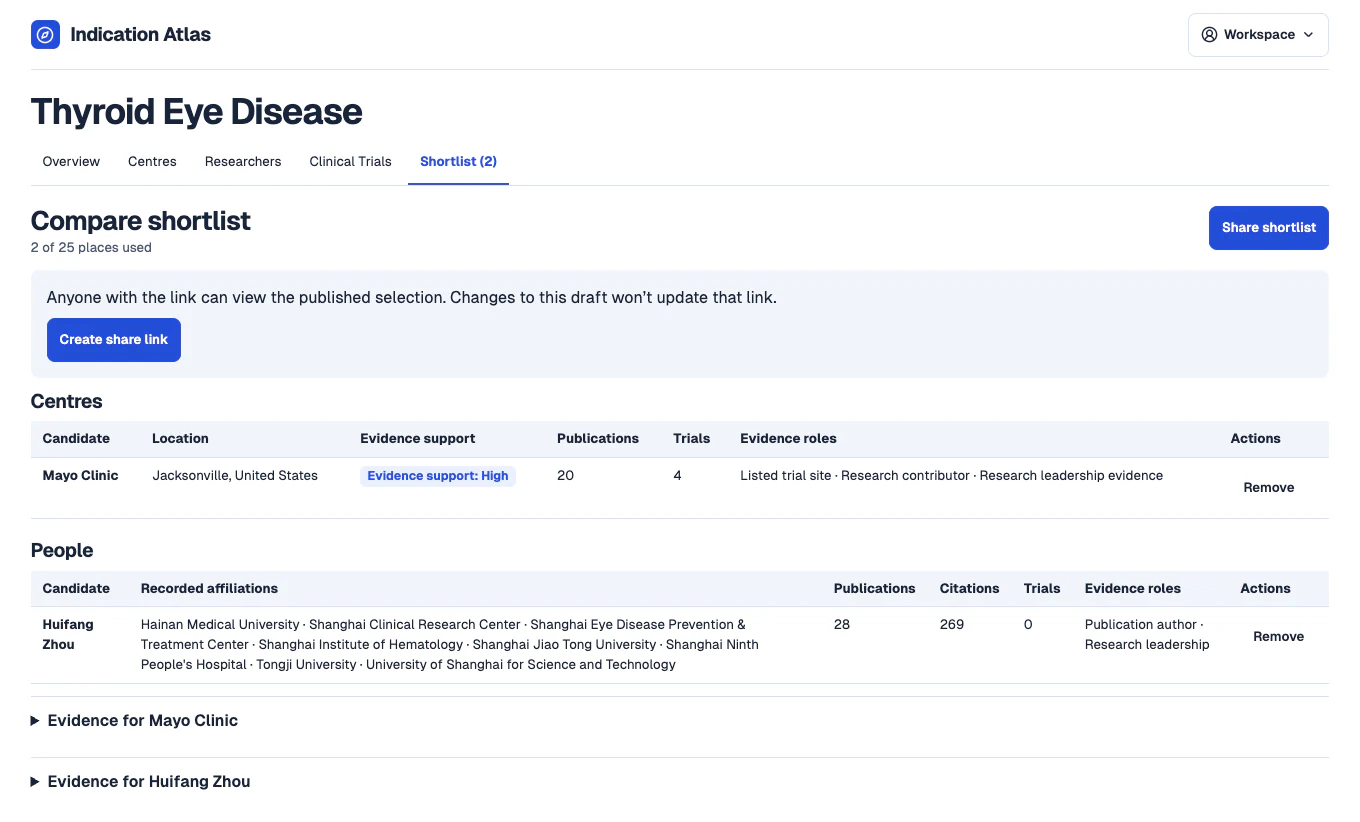
Compare and share your shortlist
Save candidates as you review them, then open Shortlist to compare them and inspect their evidence. Use Share shortlist to create a read-only link your colleagues can open.
 View full-size screenshot