Leading centre discovery
Find centres with evidence of research and trial activity in a disease area, then trace each candidate back to its sources.
These screenshots follow an example search for Thyroid Eye Disease.
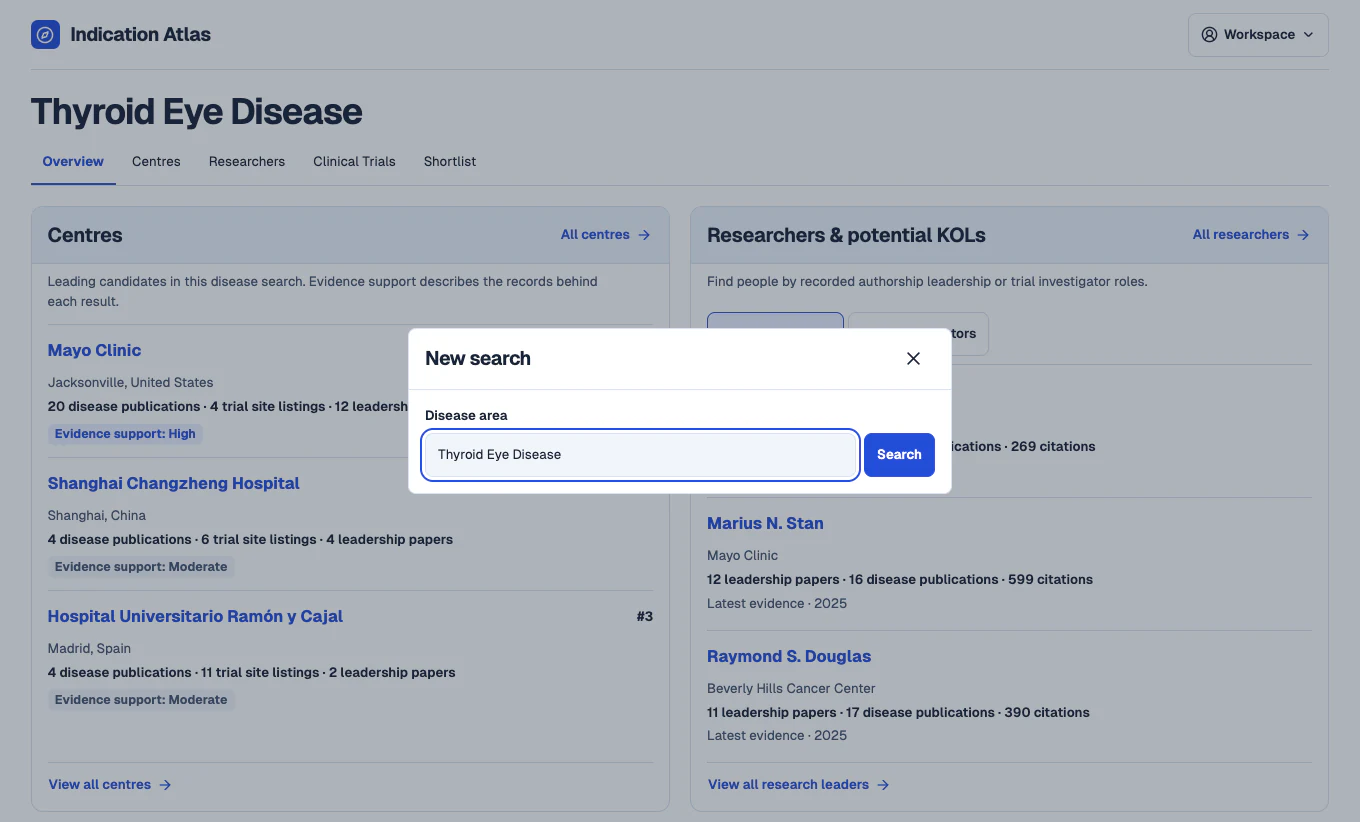
Search for a disease
In the workspace, open New search and enter a disease such as Thyroid Eye Disease. The overview brings together leading centre candidates and potential key opinion leaders from the same search.
 View full-size screenshot
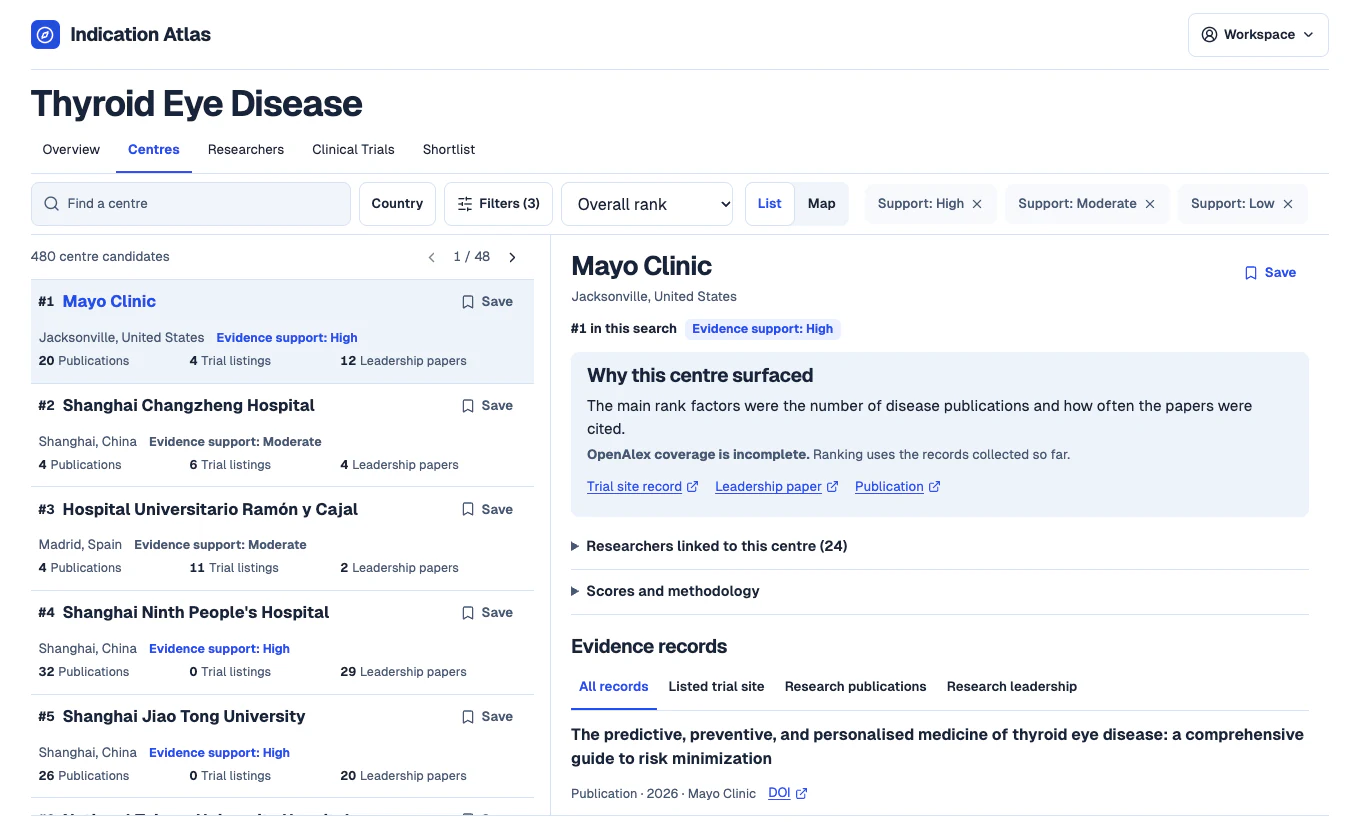
Review ranked centres
Open Centres to compare candidates within the disease search. Use the country and evidence filters to focus the list, then open a centre to see which publications and trials support its appearance.
 View full-size screenshot
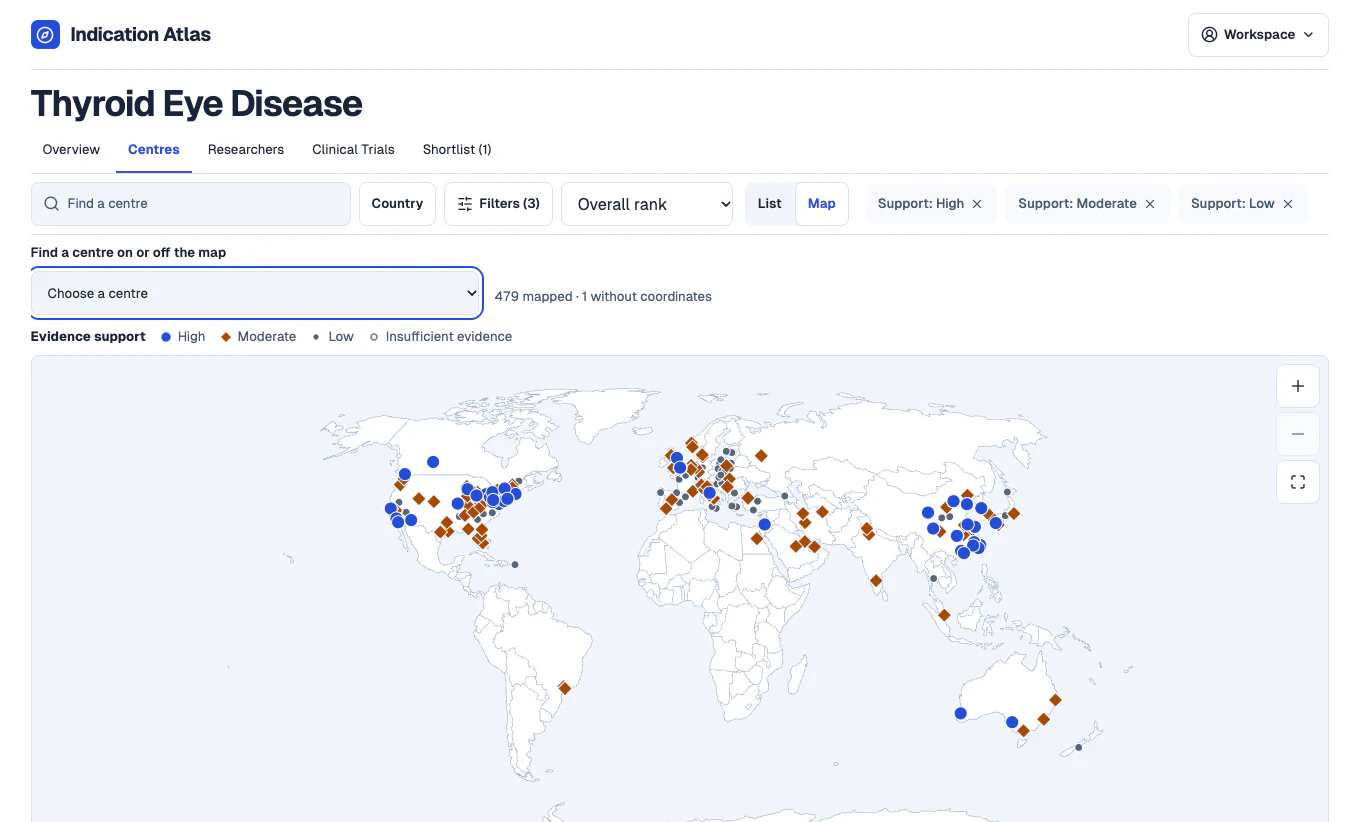
Explore the geography
Switch to Map to see where candidates with recorded coordinates are located. Select a marker to open the centre’s profile and inspect the records behind it.
 View full-size screenshot
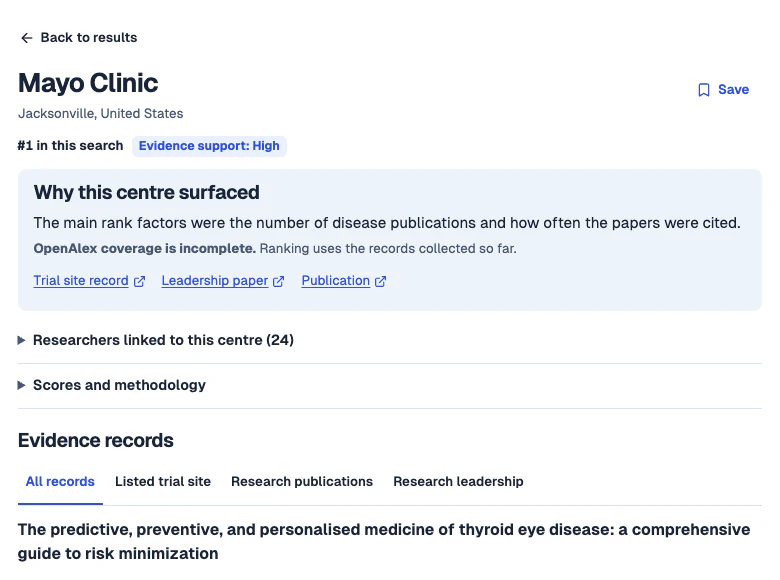
Verify the evidence behind a centre
Review the main rank factors, check source coverage and follow the links to supporting publications and trials. A listed trial site is a starting point for further review of current capacity and suitability.
 View full-size screenshot
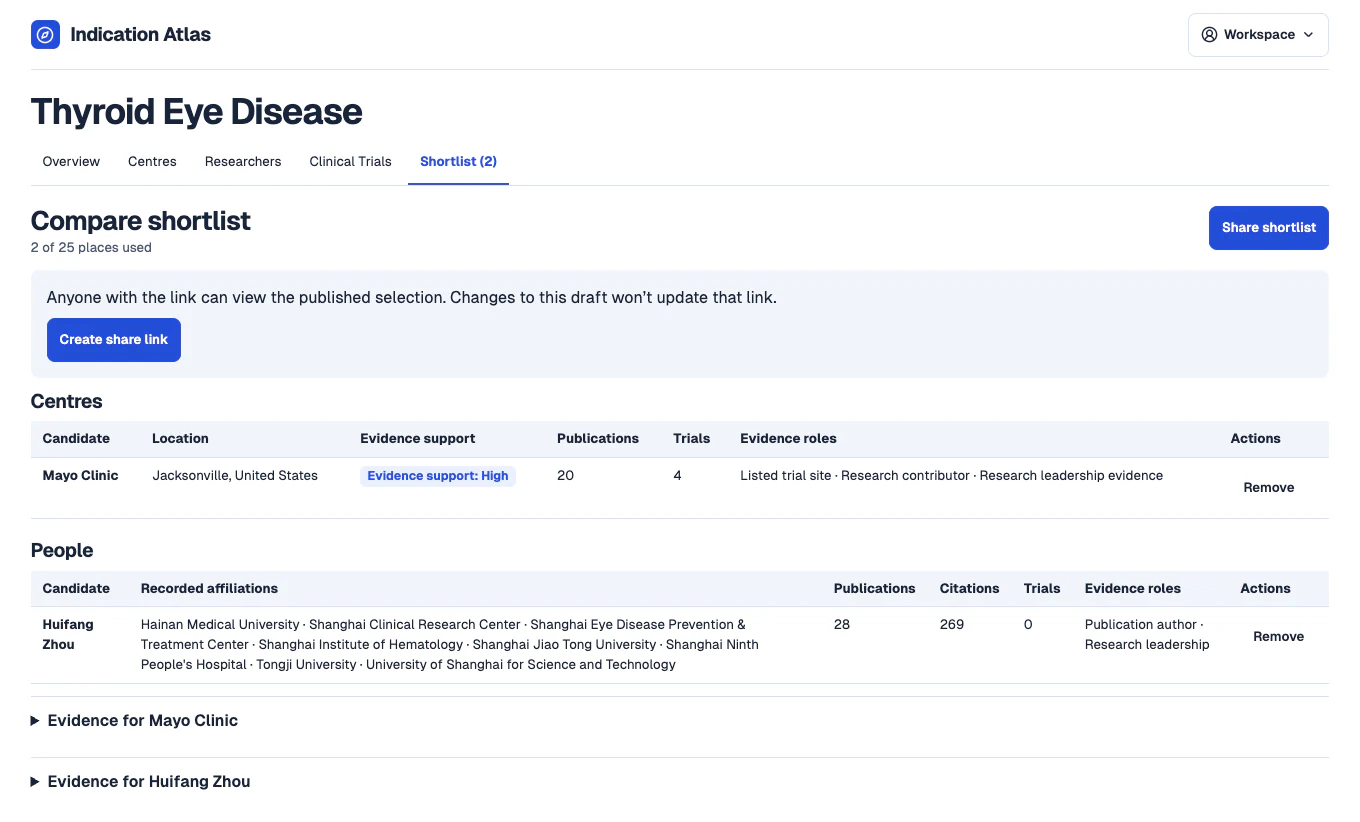
Compare and share your shortlist
Save candidates as you review them, then open Shortlist to compare them and inspect their evidence. Use Share shortlist to create a read-only link your colleagues can open.
 View full-size screenshot