Find the researchers behind a centre
Start with a centre you know and find researchers linked to it through publications or trials in your disease search.
These screenshots follow an example search for Thyroid Eye Disease.
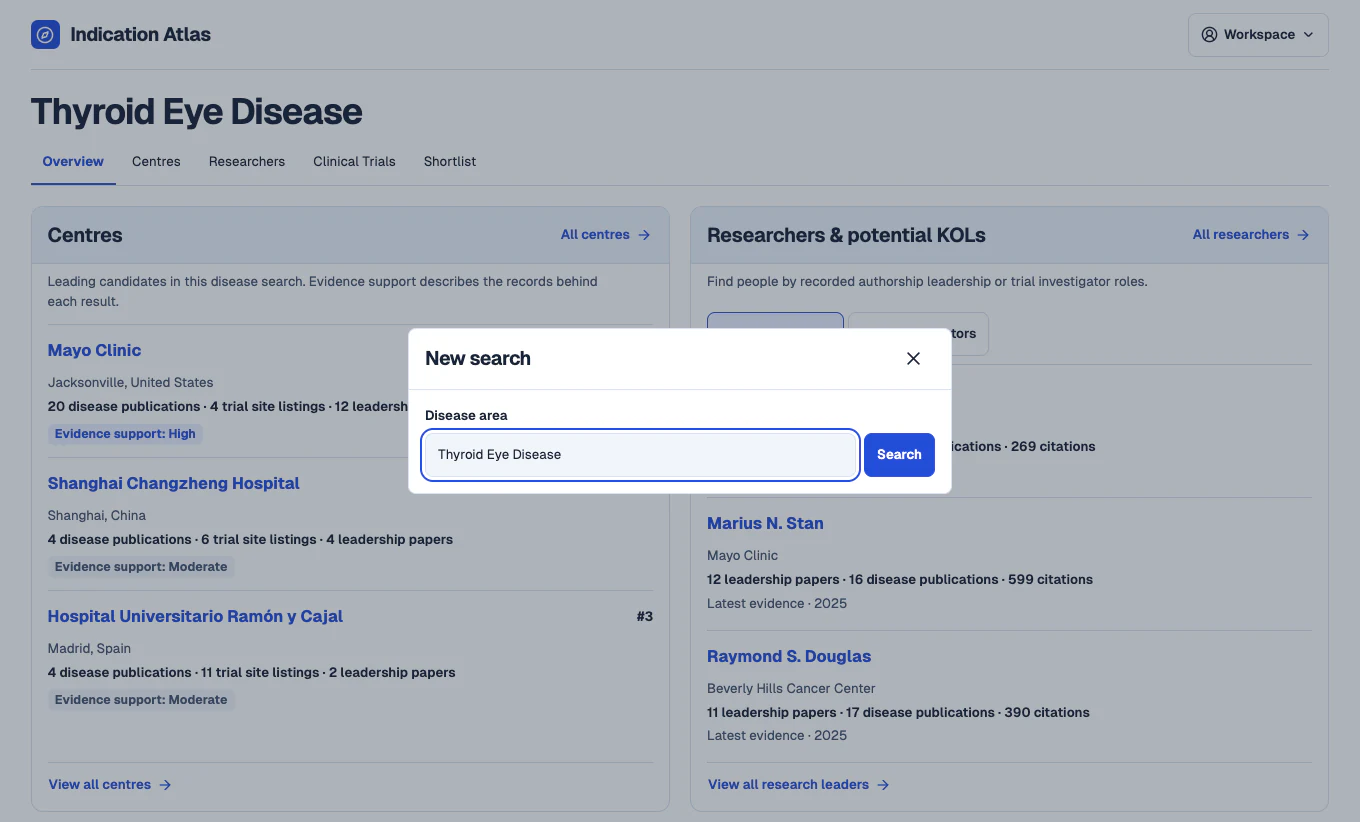
Search for a disease
In the workspace, open New search and enter a disease such as Thyroid Eye Disease. The overview brings together leading centre candidates and potential key opinion leaders from the same search.
 View full-size screenshot
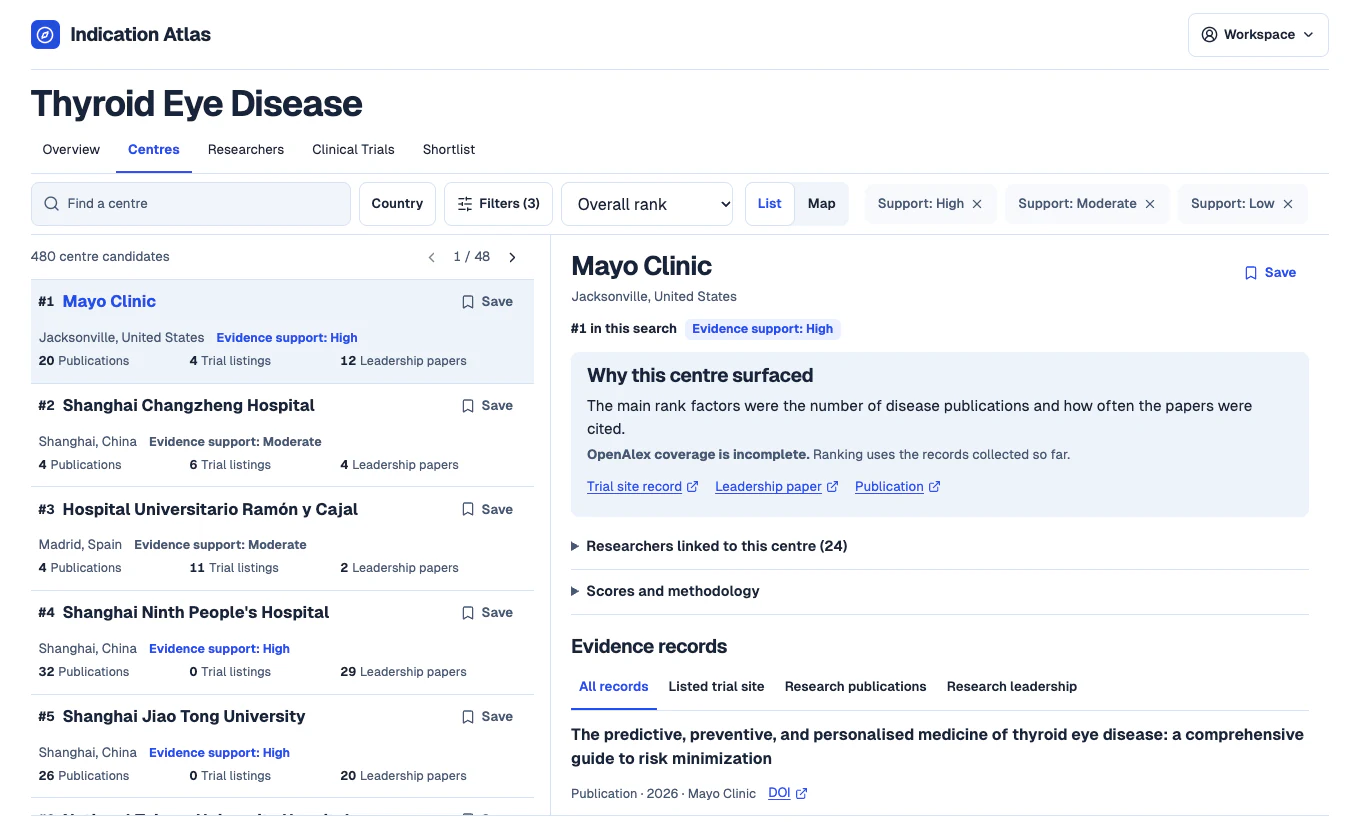
Find a centre by name
Open Centres and search for the institution you want to review. Select the matching result and check its location before opening the profile.
 View full-size screenshot
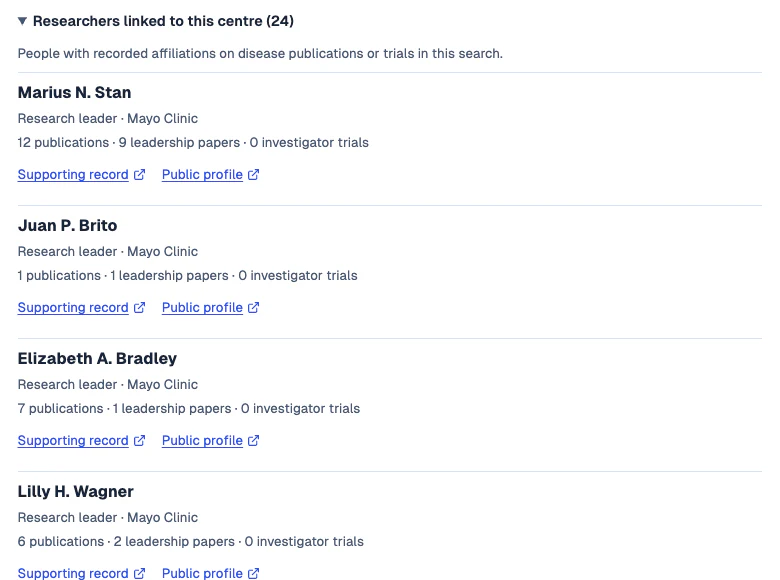
See who is linked to the centre
Expand Researchers linked to this centre when available. Check each person’s recorded affiliation and the counts for disease publications, leadership papers and investigator trials. Open a supporting record to verify the link.
 View full-size screenshot
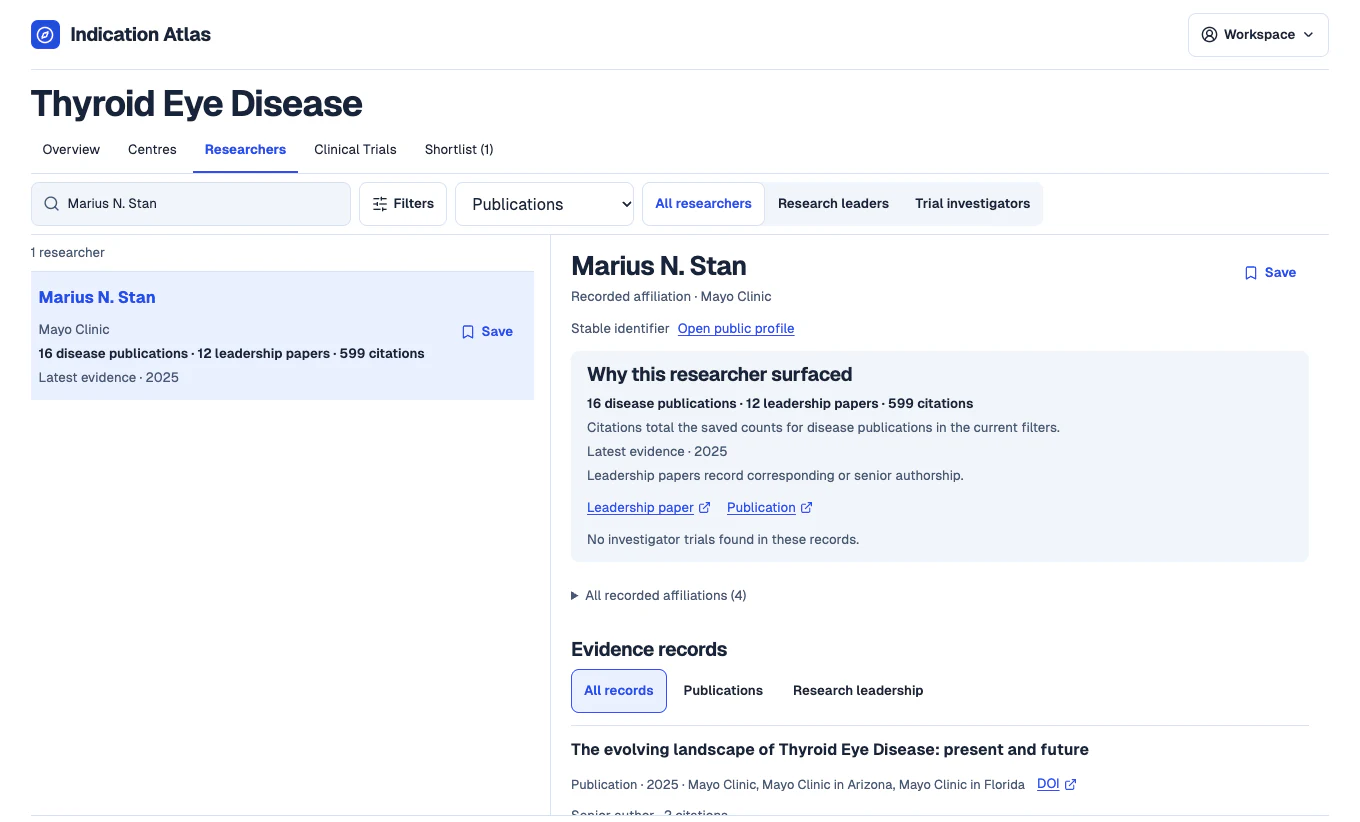
Review the researcher’s profile
Search for the person by name in Researchers to see their evidence across the disease search. Check other recorded affiliations and original sources before assessing the person’s current role.
 View full-size screenshot