Clinical trial site feasibility
Use recorded trial activity to build a list of candidate sites for formal feasibility review.
These screenshots follow an example search for Thyroid Eye Disease.
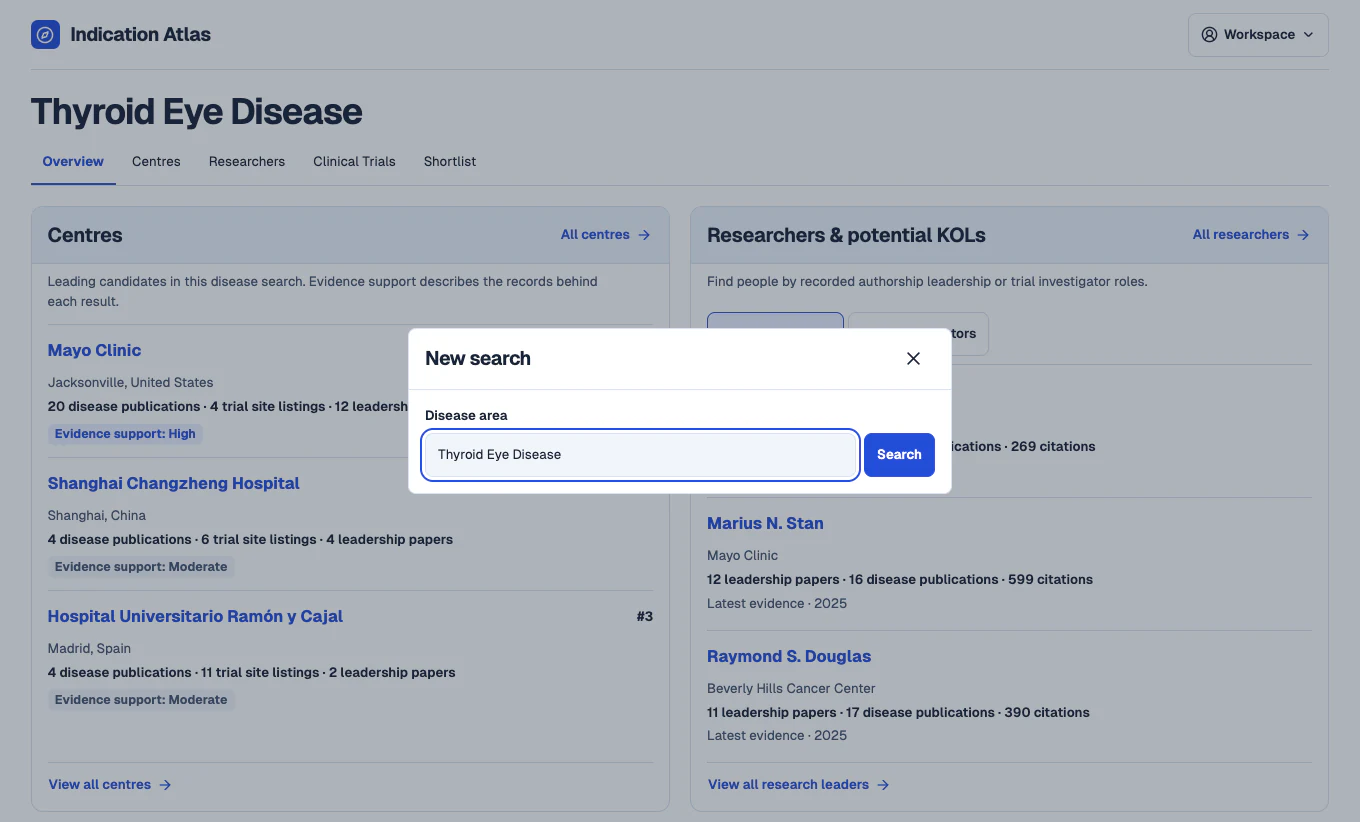
Search for a disease
In the workspace, open New search and enter a disease such as Thyroid Eye Disease. The overview brings together leading centre candidates and potential key opinion leaders from the same search.
 View full-size screenshot
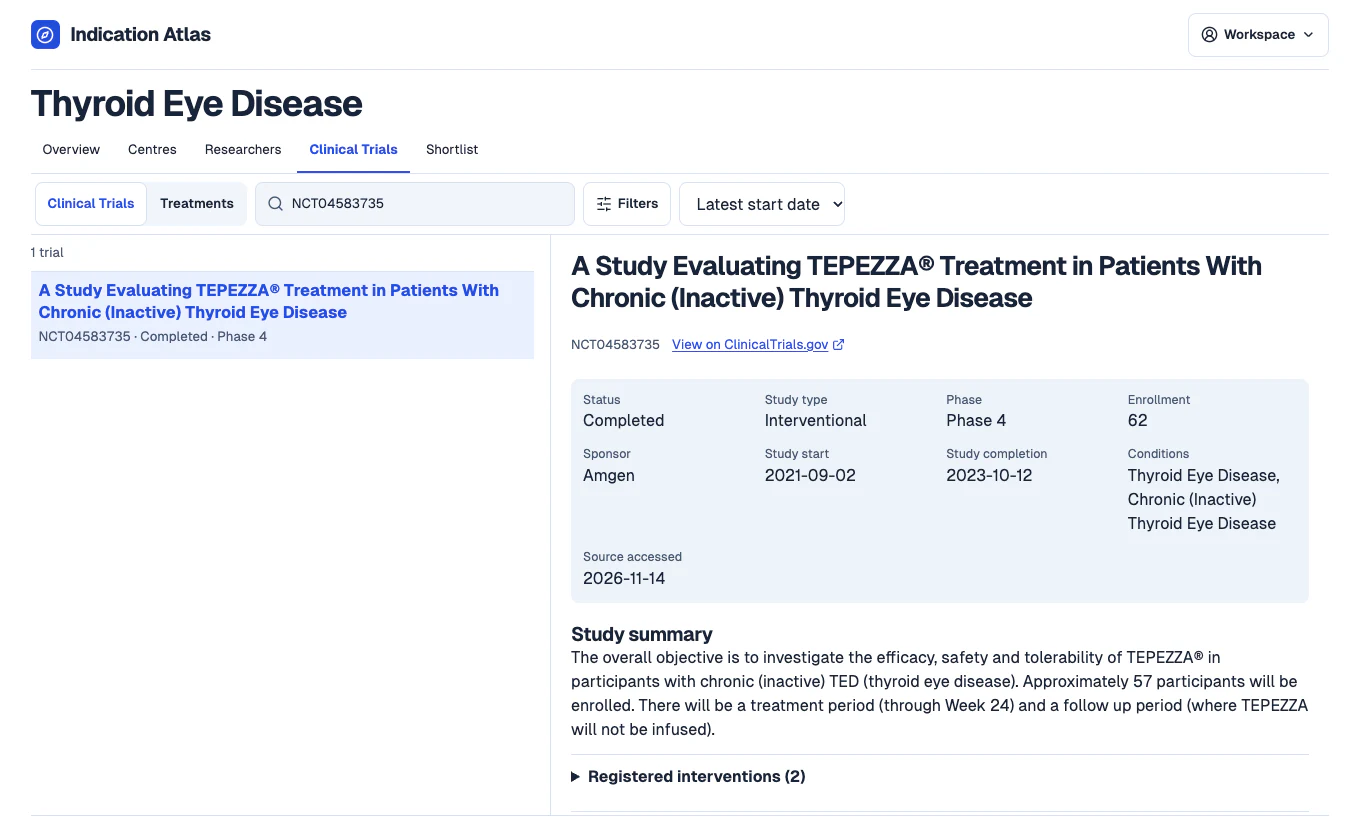
Find studies relevant to your protocol
Open Clinical Trials and search by study title, treatment or registry ID. Review the study type, phase, dates and recorded status to decide which studies are relevant to your brief.
 View full-size screenshot
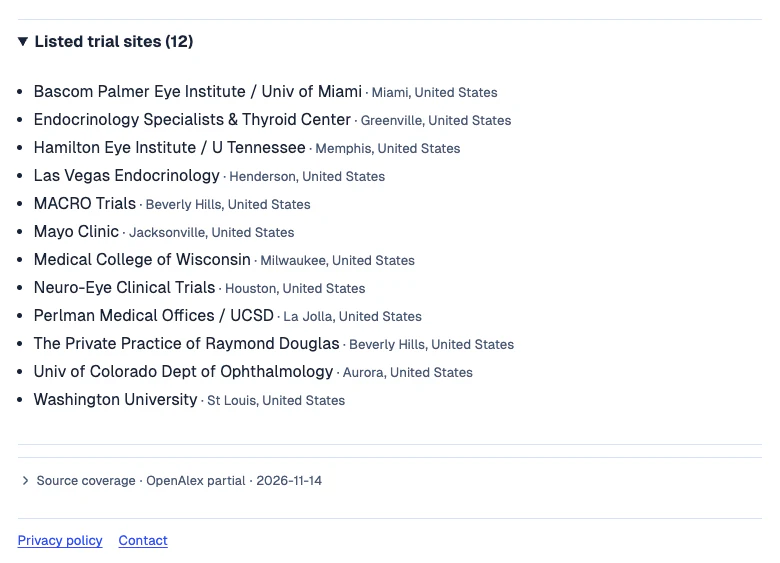
Check which sites the study listed
Expand Listed trial sites to see the facilities and locations captured from the trial record. Follow the ClinicalTrials.gov link to verify the listing and check for updates.
 View full-size screenshot
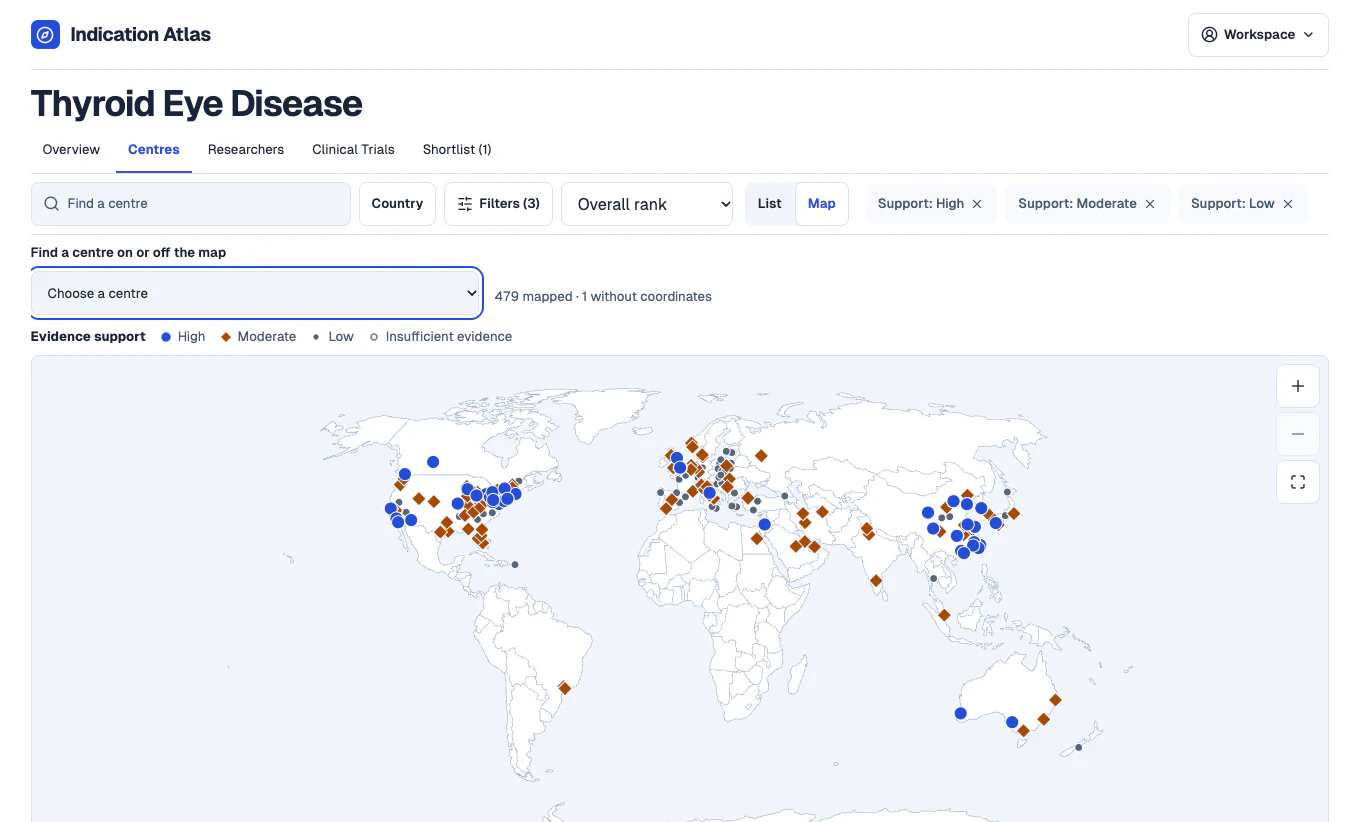
Review centres in your target countries
Switch to Centres and filter by country. Use the list or map to open candidate profiles, then inspect their listed trial site evidence and follow the registry links.
 View full-size screenshot
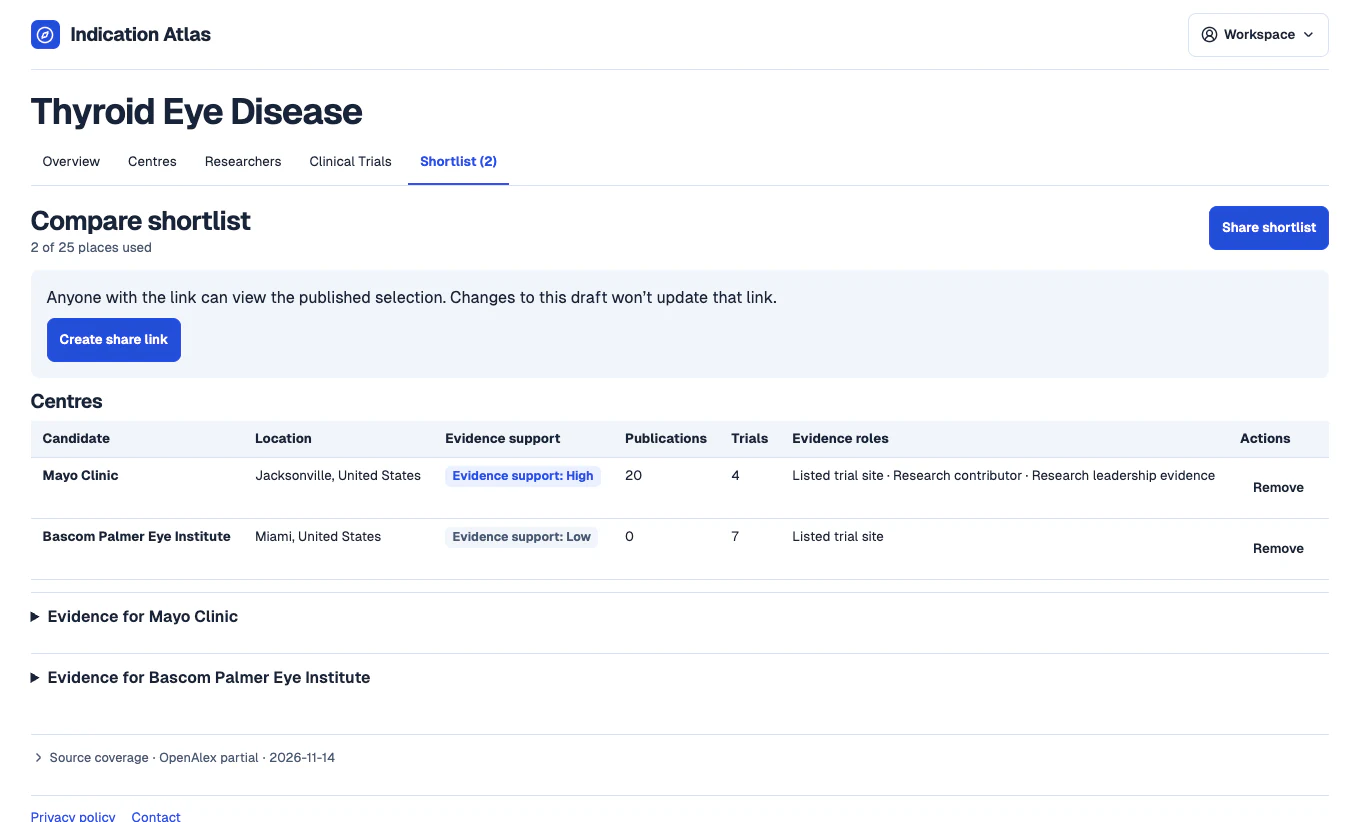
Share the sites you want to assess
Save candidate centres and publish a read-only shortlist with the evidence behind each choice. Confirm current staffing, patient access and protocol fit during formal feasibility.
 View full-size screenshot