Treatment and trial landscape
See which treatments appear in the trials collected for a disease and review the studies behind them.
These screenshots follow an example search for Thyroid Eye Disease.
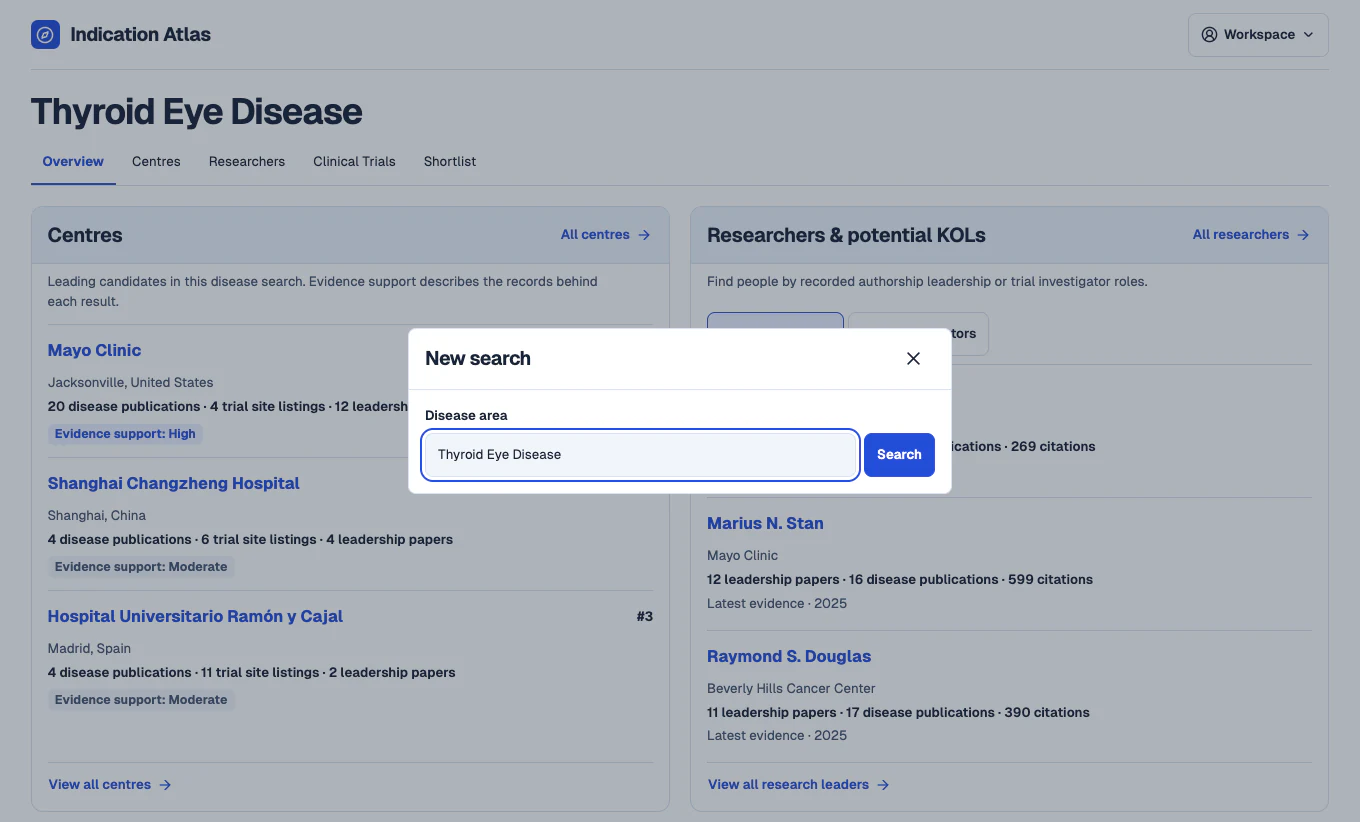
Search for a disease
In the workspace, open New search and enter a disease such as Thyroid Eye Disease. The overview brings together leading centre candidates and potential key opinion leaders from the same search.
 View full-size screenshot
Find treatments studied in the disease
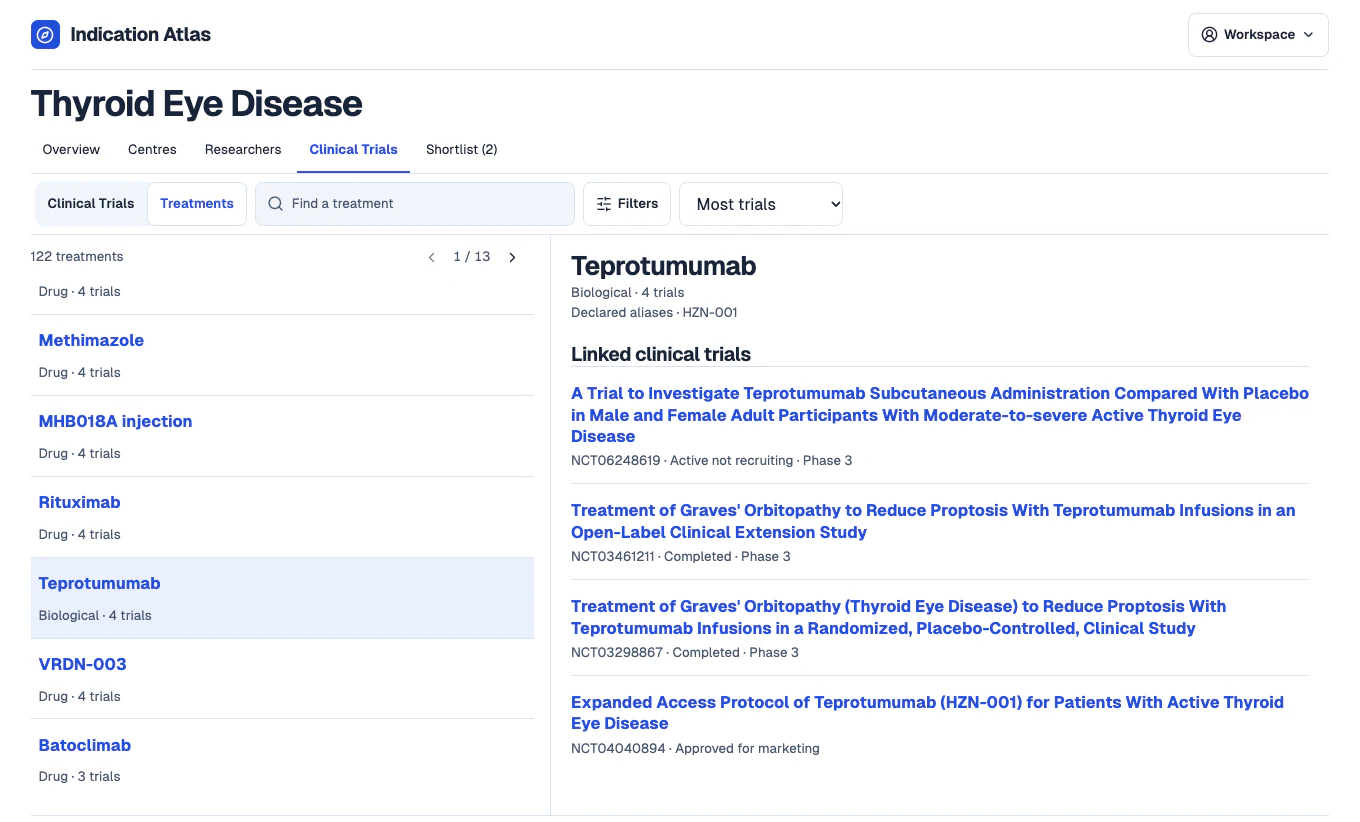
Open Clinical Trials and switch to Treatments. Search for a treatment by name, then select it to see the linked trials. For Thyroid Eye Disease, this view groups the collected trials that record teprotumumab.
 View full-size screenshot
Open a study and check the registry record
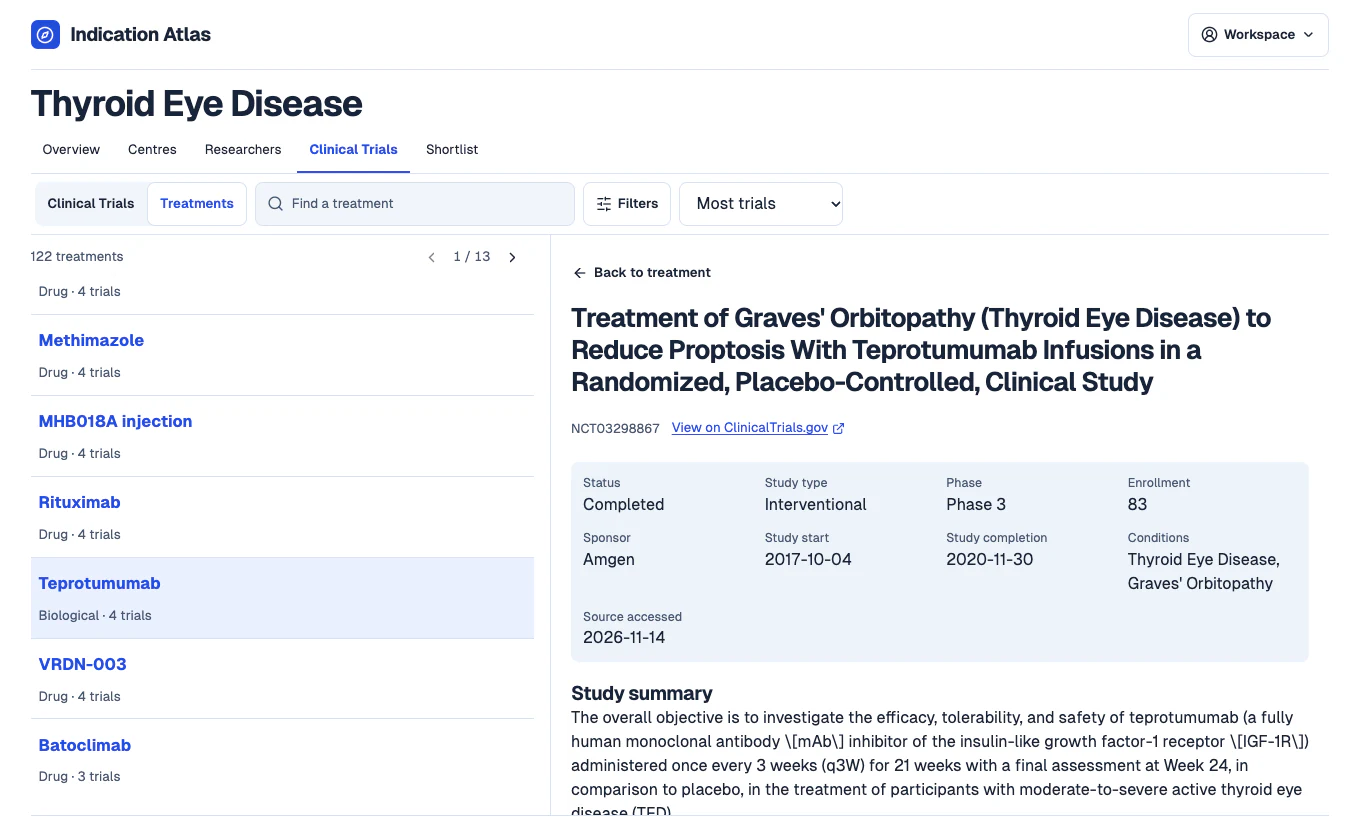
Open a linked study to review its recorded phase, status and dates where available. Follow the ClinicalTrials.gov link to check the original record and any updates.
 View full-size screenshot
See where the study was listed
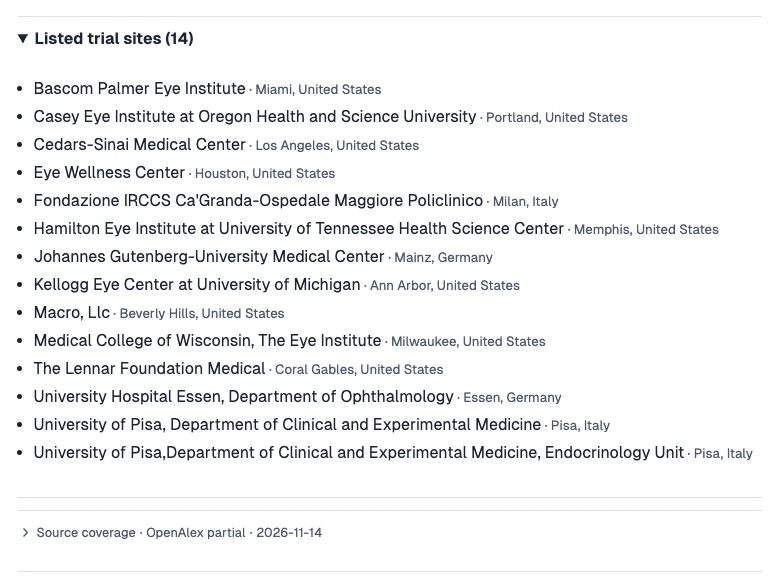
Expand Listed trial sites to see the facilities recorded for that study. Repeat for the studies that matter to your brief to compare where and how the treatment was studied.
 View full-size screenshot